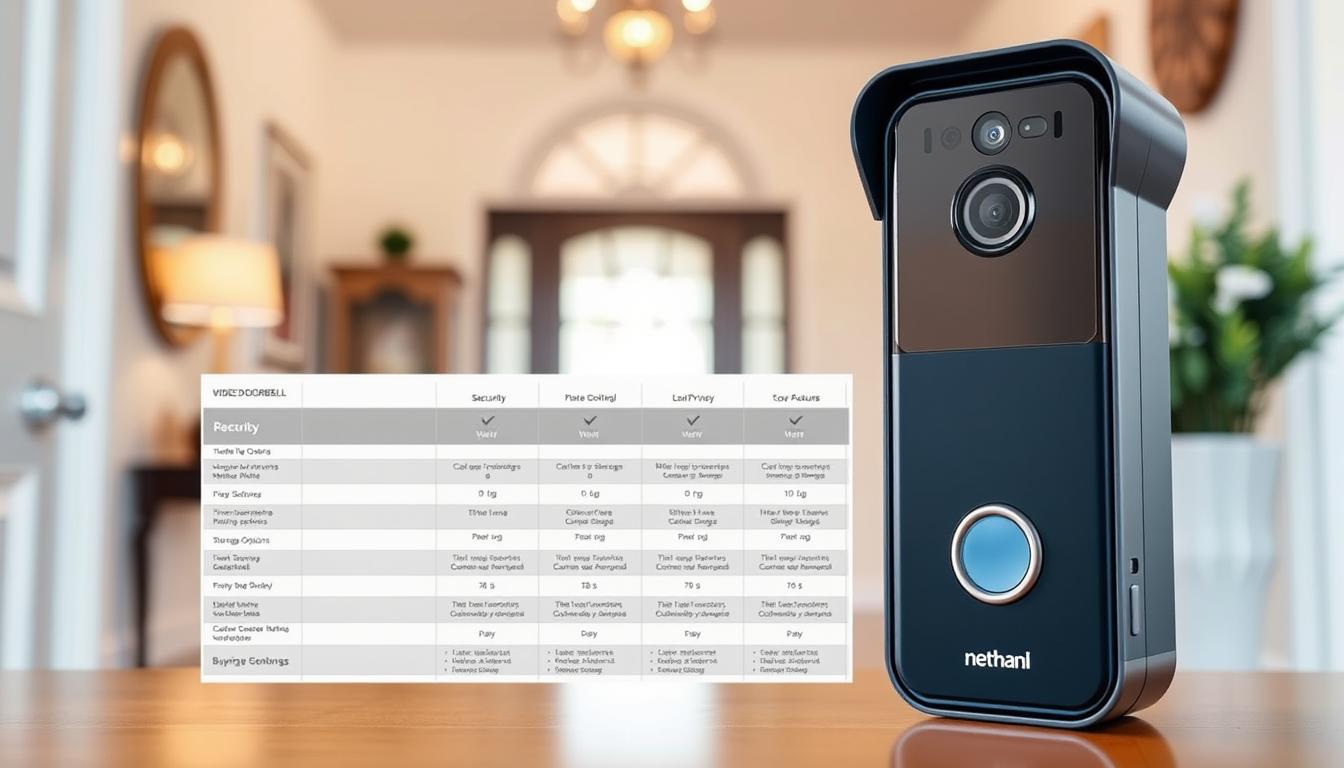
We all want to feel truly at peace when we walk through our front door. Knowing your home is protected feels comforting, whether you relax on the couch or travel across the country. Our mission is to simplify daily life with high-quality tools that help you live with greater ease and confidence.
If you are ready to buy video doorbell online, you might feel overwhelmed by the endless technical specs. That is exactly why we created this video doorbell buying guide. We want to help you cut through the noise and focus on what matters for your home, budget, and comfort.
Before choosing a new device, consider how it fits your daily routine. We will cover key questions about security, storage, and privacy. This ensures your choice supports your lifestyle instead of making it harder.
Key Takeaways
- Prioritize devices that offer simple, intuitive installation processes.
- Evaluate your storage needs to decide between cloud or local recording options.
- Check privacy settings to ensure your data remains secure and under your control.
- Match the hardware features to your specific home layout and connectivity strength.
- Focus on products that provide genuine value and long-term reliability for your family.
What is a Video Doorbell?
Think of a video doorbell as a digital gatekeeper for your home. We offer tools that simplify daily life and provide real value. These devices meet everyday needs and help you live your best life with ease.
Definition of Video Doorbells
At its core, this device is a connected entryway system. It combines a traditional doorbell button with a high-definition camera, microphone, and speaker. Together, these parts let you see and speak with anyone at your door, even from miles away.
How They Work
A WiFi doorbell connects directly to your home’s wireless network. When a visitor presses the button or triggers a sensor, the device sends an instant alert to your smartphone or tablet. This connection lets you check activity in real time, so you never miss a delivery or guest.
Common Features
Each model is unique, but a smart security camera usually includes helpful tools. These may include motion detection, which alerts you when movement occurs before anyone presses the button. Many models also offer two-way conversation, so you can talk with visitors through your phone.
Other standard features include night vision for clear views after dark and cloud or local storage for event recordings. Features vary by model, so choose one that matches your security goals. Whether you are working or traveling, these devices keep you connected to your home 24/7.
Key Benefits of Video Doorbells
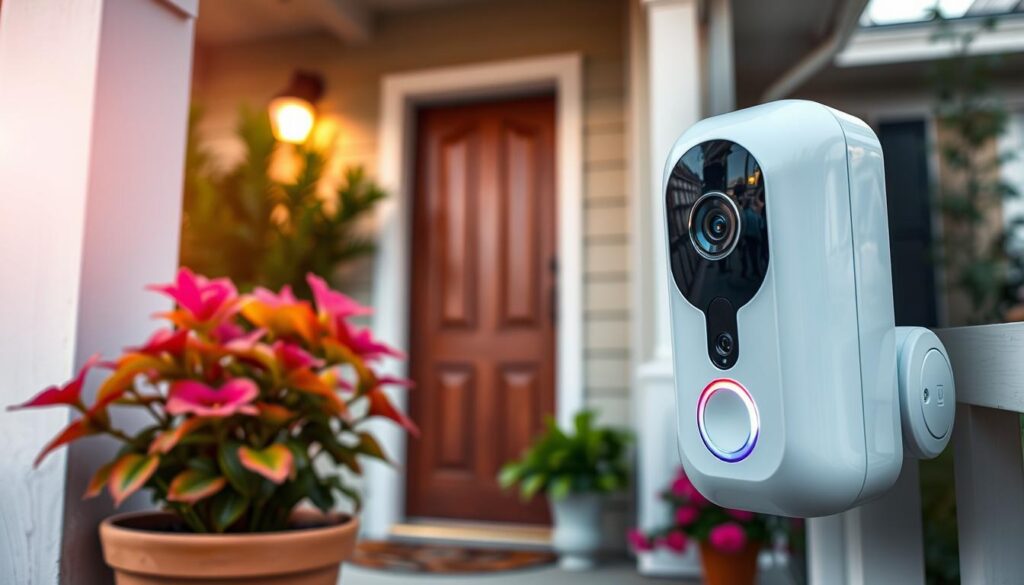
If you want more control of your front porch, a video doorbell can help. These gadgets do more than ring when someone stops by; they act as a digital gatekeeper. Adding a smart security camera to your entryway brings peace of mind beyond traditional hardware.
Enhanced Security Measures
Most homeowners value video doorbells because they can deter unwanted visitors. When a potential intruder sees a camera, they are less likely to linger or approach your door. You also keep a useful record of activity to review if suspicious behavior occurs.
These devices serve as a cornerstone for modern home security devices. They show your property clearly, so you know who stands on your welcome mat. This visual evidence helps create a safer environment for your entire family.
Convenience and Accessibility
You cannot always be home to answer the door. Whether working late, traveling for a getaway, or relaxing in the backyard, you can check your front door anywhere. This remote access helps you stay connected to activity at home.
You can talk with visitors through your smartphone, even when miles away. This access makes managing your household feel effortless. It is about empowering your daily life with technology that works for you.
Delivery Monitoring
We all know the stress of waiting for an important package. A video doorbell lets you monitor deliveries in real-time without opening the door or interrupting your routine. You know exactly when items arrive, which helps prevent theft and keeps your porch clear.
| Benefit | Primary Advantage | User Impact |
|---|---|---|
| Security | Deterrence | High peace of mind |
| Accessibility | Remote Control | Total flexibility |
| Monitoring | Package Safety | Reduced delivery stress |
Adding these home security devices to your setup can upgrade your lifestyle. Choosing a reliable smart security camera helps keep your home a sanctuary, wherever you are in the world.
Factors to Consider Before Buying
Choosing home security hardware becomes easier when you know what to seek. This video doorbell buying guide explains key technical details and helps you choose with confidence. Pick a device that fits your lifestyle.
Video Quality and Resolution
Resolution matters most when you want clear camera footage. Higher resolution helps you identify faces and read small text on package labels at your door. Choose at least 1080p to avoid blurry, pixelated images.
Storage Options: Cloud vs. Local
Decide where recorded video clips will live. Cloud storage saves footage on a remote server, but it often has recurring monthly fees. Local storage saves data on a memory card or home hub, avoiding subscription costs but requiring hands-on management.
Power Supply Options
Before you buy video doorbell online, inspect your home’s current setup. Some models need hardwired connections to your existing chime, while others use rechargeable batteries. Confirm compatibility with your home’s wiring, door frame, and Wi-Fi strength to prevent installation problems.
| Feature | Cloud Storage | Local Storage |
|---|---|---|
| Cost | Monthly Subscription | One-time Hardware Cost |
| Access | Anywhere via App | Requires Physical Access/Hub |
| Security | Encrypted Remote Server | Private Local Control |
| Maintenance | Automatic Updates | Manual Card Management |
Essential Features to Look For
Your home entrance should support your daily life. We highlight tools that make everyday tasks easier. A WiFi doorbell offers more than a gadget; it can support your home security.
Motion Detection and Alerts
Modern technology lets your device watch your door when no one is home. A high-quality WiFi doorbell sends instant motion alerts to your smartphone when someone reaches your porch. These alerts keep you informed about deliveries or visitors before they press the button.
To limit annoying pings, choose models with customizable activity zones. Focus the camera on your walkway or porch to reduce alerts from passing cars or swaying trees. Adjust the sensitivity so you receive alerts only when they matter.
Two-Way Audio Capabilities
Speaking with guests from anywhere can help busy households. Whether you are in the backyard or across the country, two-way audio lets you greet visitors or guide delivery drivers in real time. This feature helps you control home access without being there.
“Security is not just about locking doors; it is about having the awareness to know who is knocking and the ability to respond with confidence.”
Night Vision Technology
Visibility should continue after sunset. Reliable night vision helps you watch your property after dark. Footage clarity often depends on porch lighting, device placement, and nearby objects that may block infrared sensors.
The following table compares these core features and helps you make an informed choice for your home:
| Feature | Primary Benefit | Key Consideration |
|---|---|---|
| Motion Detection | Proactive awareness | Adjustable zones are vital |
| Two-Way Audio | Remote communication | Requires stable internet |
| Night Vision | 24/7 monitoring | Placement affects clarity |
Understanding Privacy Concerns
https://www.youtube.com/watch?v=FI4iO-r8b5U&xstg=CAMSBhUD_LL2Hw%3D%3D
When you install home security devices, you bring technology into your most private spaces. These gadgets offer peace of mind, but they collect sensitive data, including video footage, audio clips, and personal account information. Take control of your digital footprint from day one.
Data Encryption and Security
Your first defense is keeping your data private. Choose home security devices that use end-to-end encryption, which scrambles data so only you can view it. Enable two-factor authentication on your account to add protection against unauthorized access.
Never reuse passwords across different platforms. Using a unique, complex password for your security account is one of the simplest ways to keep hackers at bay. Check your app’s security dashboard regularly to see which devices are logged in.
User Privacy Settings
Most modern doorbells let you customize your experience to match your comfort level. You can set privacy zones to block a neighbor’s window or public sidewalk from the camera’s view. If you do not want audio recorded, you can usually turn off the microphone in settings.
Review your notification preferences and shared-user permissions. You do not need to give everyone in your household full administrative access. Limit who can view recordings or change settings to keep your home security devices working as intended.
Local Laws and Regulations
Before finishing installation, look into local surveillance laws. Some states strictly regulate audio recording, while others set rules for cameras facing shared spaces or public property. Being a good neighbor means respecting nearby residents’ privacy.
If your camera captures a neighbor’s yard or common hallway, adjust its angle or use digital masking features. Staying informed helps you avoid legal trouble while keeping your home safe. Use the table below to track your privacy priorities.
| Privacy Feature | Action Required | Benefit |
|---|---|---|
| Encryption | Enable in App | Prevents Data Theft |
| Privacy Zones | Define in Settings | Respects Neighbors |
| 2FA | Activate via Email | Secures Account |
| Audio Control | Toggle Off/On | Complies with Laws |
Comparing Popular Brands and Models
We help simplify your choice by comparing popular doorbell models available today. The video doorbell buying guide may feel overwhelming, but your needs can make the choice easier.
The most expensive option is not always the best fit for your household. Choose features that solve daily problems, such as package monitoring or smart home integration.
Ring Video Doorbells
Ring is a household name for good reason. Its devices are incredibly user-friendly and connect with a large ecosystem of compatible products.
If you use Amazon Alexa, these devices integrate seamlessly. Their models include battery-powered and hardwired units, making them useful for almost any home.
Nest Hello Doorbell
The Nest Hello, now often branded under Google Nest, is praised for its superior video quality and intelligent alerts. It can distinguish between people, packages, and general motion.
This smart security camera suits homes already using Google Home. It often requires a subscription for full feature access, but reliable facial recognition attracts many families.
Arlo Video Doorbell
Arlo stands out because it gives you more choices for storing footage. Many models offer local storage options, which helps if you prefer not to rely only on cloud subscriptions.
Their high-resolution view and wide field of vision help you see every porch detail. If privacy and data control matter, Arlo deserves your attention.
“Technology should serve to enhance our sense of security, not complicate the way we live our daily lives.”
| Brand | Best For | Storage | Smart Home |
|---|---|---|---|
| Ring | Ease of Use | Cloud | Alexa |
| Nest | Video Quality | Cloud | |
| Arlo | Privacy/Local | Cloud/Local | Multi-Platform |
The right smart security camera should provide peace of mind without adding stress. Take your time and compare these options with your priorities before making an informed decision.
Installation and Setup Processes
Installing a smart security device need not be a headache, even without professional handyman skills. We break setup into simple steps, helping protect your home with ease.
Wireless vs. Wired Installation
Your first choice is a battery-powered or hardwired WiFi doorbell. Battery models offer flexible placement because they do not need existing electrical lines.
A wired model connects directly to your home’s current doorbell wiring. This gives it a constant power supply, so you avoid battery charging and downtime.
DIY Installation Tips
If you can use basic tools, DIY installation may be the fastest option. First, check your WiFi signal strength at the front door. A weak connection can cause delayed video and missed alerts.
Mount the device high enough to capture clear faces, but shield it from harsh, direct sunlight. Test your WiFi doorbell in the mobile app before tightening the screws. This helps calibrate the motion detection zones correctly.
Consider weather exposure, too. If your entryway faces heavy rain or extreme heat, use a protective cover or choose an outdoor-rated model.
Professional Installation Services
Sometimes, calling an expert is the smarter choice. Outdated wiring or a complex electrical setup can create safety hazards.
Professional help may also suit difficult entryways or specialized mounting hardware. A pro ensures your system is installed correctly and gives you peace of mind. Your home security can then function as intended.
Pricing: What to Expect
Choosing home security devices can feel hard when you balance cost with useful features. When you buy a video doorbell online, the listed price may not show the full cost. Look beyond the first payment to understand ownership costs.
Many users overlook cloud storage subscriptions, replacement batteries, and professional installation fees. Choose gear that fits your lifestyle instead of paying for features you will never use.
Budget-Friendly Options
If you are starting out, entry-level models let you watch your porch without spending much. These devices usually provide basic motion alerts and standard video quality. Keep in mind that these units often use wired power, which may require some DIY work during setup.
Check whether the manufacturer charges a monthly fee to view recorded clips. A cheaper device may cost more over time if it requires a subscription.
Mid-Range Selections
Mid-range models suit most families. They typically offer crisp 1080p video, better night vision, and more reliable motion detection zones. These devices balance performance and price.
When you buy a video doorbell online in this category, you usually pay for better software integration. You will likely find user-friendly apps that make managing your home security devices easy.
Premium Models and Their Features
Premium doorbells serve people who want the best in surveillance technology. They may offer 4K resolution, facial recognition, and advanced AI that separates people, pets, and packages. These models can provide greater peace of mind.
| Category | Typical Price Range | Key Benefit |
|---|---|---|
| Budget | $50 – $99 | Essential monitoring |
| Mid-Range | $100 – $199 | Balanced performance |
| Premium | $200+ | Advanced AI & 4K |
Choose the model that fits your specific needs. Don’t feel pressured to buy the most expensive model if you only need to see who is at the door. Focus on features that improve daily life and help keep your home safe.
Customer Reviews and Feedback
Before choosing a gadget, learn how to read online customer feedback. A WiFi doorbell may seem confusing, but homeowners’ experiences can guide your choice. We will show you how to look beyond star ratings.
Analyzing User Experiences
When reading feedback, look for repeated patterns instead of one dramatic, angry review. One bad experience may result from a faulty home router or unusual installation problem. Ten users reporting the same issue signal a red flag.
Watch how users describe setup and mobile app reliability. A smart security camera works only as well as its software. If the app crashes often, even excellent hardware can frustrate you.
Common Complaints
Most shoppers face the same common issues when they start using new devices. Knowing these problems helps you prepare your home network or avoid troublesome models.
- False Alerts: Many users complain about motion sensors triggering for every passing car or swaying tree branch.
- Battery Life: Wireless models often struggle to meet the advertised battery duration if they are in high-traffic areas.
- Subscription Costs: Some brands hide essential features behind a monthly paywall, which catches many buyers off guard.
- Customer Support: Slow response times are a common grievance when users need help with technical glitches.
Top-Rated Models
We summarized popular devices using consistent user satisfaction to support a quick decision. The table compares features that matter in daily use.
| Model Name | Ease of Setup | App Reliability | Subscription Value |
|---|---|---|---|
| Ring Pro 2 | High | Excellent | Moderate |
| Nest Doorbell | Medium | High | Good |
| Arlo Essential | High | Good | Excellent |
Choose a balance that matches your needs. You may want crystal-clear video or simple, no-fuss installation. Either way, a suitable device can bring greater peace of mind.
Maintenance and Troubleshooting
Even the best technology needs care to run smoothly. We aim to simplify life and help your home security devices perform their best each day.
A few simple habits can prevent most problems before they begin. Staying proactive helps you enjoy greater peace of mind.
Regular Maintenance Tips
Use a soft, dry cloth to keep the camera lens clean and footage clear. Don’t forget to check battery levels in the app every few weeks. This helps prevent sudden downtime.
Install firmware updates as soon as they appear. These updates often include vital security patches that protect your system from digital threats.
Review your account access settings from time to time. Make sure only trusted family members have access. Test your motion alerts to confirm they work correctly.
Common Issues and Solutions
If WiFi signals are weak, move your router closer or add a signal extender. Delayed alerts often result from slow upload speeds, so check your internet connection first.
If recordings are missing, check that your subscription is active. Also, confirm your storage settings are correct. For blurry night images, remove spider webs or debris near the lens.
For unresponsive buttons, try a quick power cycle. If the battery drains quickly, lower motion sensitivity to reduce unnecessary wake-ups.
When to Seek Help
Some problems need more than a simple DIY fix. If electrical wiring causes trouble, it is always safer to call a professional electrician.
Connection failures that continue after troubleshooting may signal a hardware defect. If you see physical damage or worry about account security, contact the manufacturer’s support team immediately.
Your safety comes first. Never hesitate to seek expert guidance when your home security devices feel beyond your control.
Conclusion: Choosing the Right Video Doorbell
Finding the right device means matching your lifestyle with reliable hardware. A good system protects your home quietly without adding stress to your day.
Recap of Key Considerations
Consider your daily routine before choosing a model. Compare video resolution, storage preferences, and power needs with your budget. Reliable motion alerts and clear night vision often matter more than unused features.
Making an Informed Decision
Use this video doorbell buying guide to cut through noise and focus on features that protect your household. Whether you choose a Ring, Nest, or Arlo device, prioritize long-term maintenance and privacy settings. Feel confident when you buy video doorbell online products that offer consistent performance.
Empowering Your Everyday Life with Technology
We highlight products that work for you and simplify your world. Our mission is to give you tools for easy home management and peace of mind. Smart technology should make life lighter, not more complicated.